
01
Tag filtering that holds its shape
Include tags, exclude tags, then save the combination. The form is the same one the Archive uses, so a saved search means the same thing in both places.
Fanfiction, read the way the Archive meant it to be read.
AO3 is the reading client for the Archive of Our Own. The same works, the same tags, the same warnings, set at the width of your phone instead of a browser tab.
Android, iOS, HarmonyOS and Windows builds. Free to install.
Since 2009
The Archive has run on readers and volunteers from the start.
Nonprofit
It belongs to the Organization for Transformative Works.
Tag first
You search for what you want. Nothing is fed to you.
Ad-free
Chapters run from the first line to the last with nothing between.
Everything a browser tab does for the Archive, without the pinch and zoom.
The Archive of Our Own is a fan-run, nonprofit home for fanfiction and other fanworks. It opened in 2009 under the Organization for Transformative Works, and its habits are unusual for a reading site: creators keep their work, warnings are required, and readers choose what they see through tags rather than a feed.
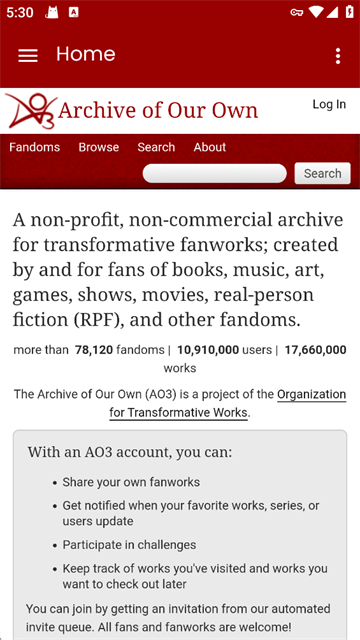
AO3 reads that archive on a phone or a desktop. Tag pages, filters, series, bookmarks and Marked for Later behave the way they do on the web, and every chapter opens at the size of the screen in front of you.
Accounts are still invitation-based, because that is how the Archive has always worked. If you already have one, sign in and your shelves arrive with it.
For the love of fanworks.
Finding a fandom, cutting the tags you do not want, a chapter at reading width, the bookmarks you keep, and the shelf for later.
 01
Find a fandom
Works, fandoms and tags from one search field.
 02
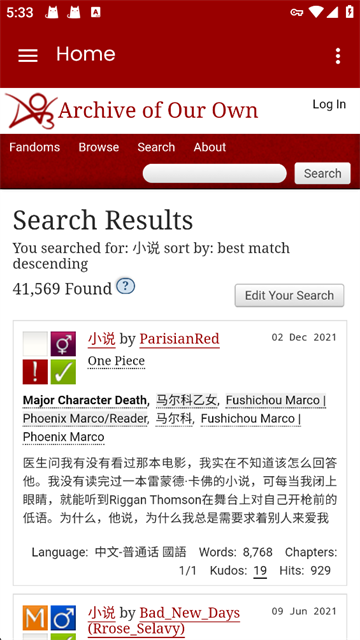
Tags, not a feed
Sort by kudos, hits, word count or last updated.
 03
Chapter view
Type size, line height and margins you set once.
 04
Bookmarks
Public and private bookmarks in one list.
 05
Marked for Later
The queue you actually finish, grouped by fandom.
Paper theme by default. Night mode for the hours after midnight.
Six things the client does that a mobile browser tab does not.
Include tags, exclude tags, then save the combination. The form is the same one the Archive uses, so a saved search means the same thing in both places.
A series stays a series. Previous part, next part and the full order sit under the work instead of in a browser history.
Private bookmarks stay private. Marked for Later syncs with your Archive account instead of living in a second list on your phone.
Chapters you have already opened stay readable with no signal, which covers most train journeys and every basement.
Serif or sans, size, spacing, paper or night. Set it once and every work opens the same way.
The client has no account of its own. You sign in to the Archive, and kudos, comments and subscriptions land on the account you already use.
Four steps. The third one is the only one that takes patience.
Choose your platform in the download window. The build matches the device in your hand.
Use the Archive account you already have. New accounts are invitation-based, so join the queue early if you are starting out.
The queue moves at its own pace and there is no way to skip it. Nobody legitimate will offer to sell you a place in it.
Filter a tag, save the search, and let Marked for Later hold the rest until the evening.
Five readers. Names left out on purpose.
“I stopped reading on my phone because of the zoom. Now a chapter just starts and I forget I am holding a phone.”
“The tag filter is the whole reason I stayed. I exclude three tags and the archive finally looks like my archive.”
“Marked for Later on my phone matches the one on my laptop. That was the only thing I wanted from an app.”
“Chapters kept offline got me through a twelve-hour train ride.”
“Night mode is actually night mode. The page does not flash white between chapters.”
Short answers below. If yours is not here, the footer has three more.